Voyadores Customer Billing Process
This guide provides an overview of the billing process for all Voyadores customers, including billing generation, notifications, payment handling, account suspension, and deactivation procedures.
Part 1: Billing Generation
Voyadores generates billing statements based on the customer's subscribed billing cycle.
Monthly Billing Cycle
- Billing statements for monthly maintenance subscriptions are generated two (2) weeks prior to the start of each billing cycle.
- Customers are encouraged to review and settle the invoice before the due date to avoid service interruptions.
Annual Billing Cycle
- Billing statements for yearly subscriptions are generated one (1) month prior to the subscription renewal date.
- Early generation allows customers sufficient time to process payments and renew subscriptions without interruption.
Part 2: Billing Notification
Customers will receive billing notifications through the following channels:
Email Notification
- Billing invoices and payment reminders are sent to the registered email address of the customer.
- Customers are advised to regularly check both inbox and spam/junk folders for billing communications.
Voyadores Application Notification
- Billing details can also be viewed directly within the Voyadores Application.
- Navigate to: Manage Module > Billings Page
-
Customers may view:
- Outstanding invoices
- Due dates
- Billing history
- Payment status
-
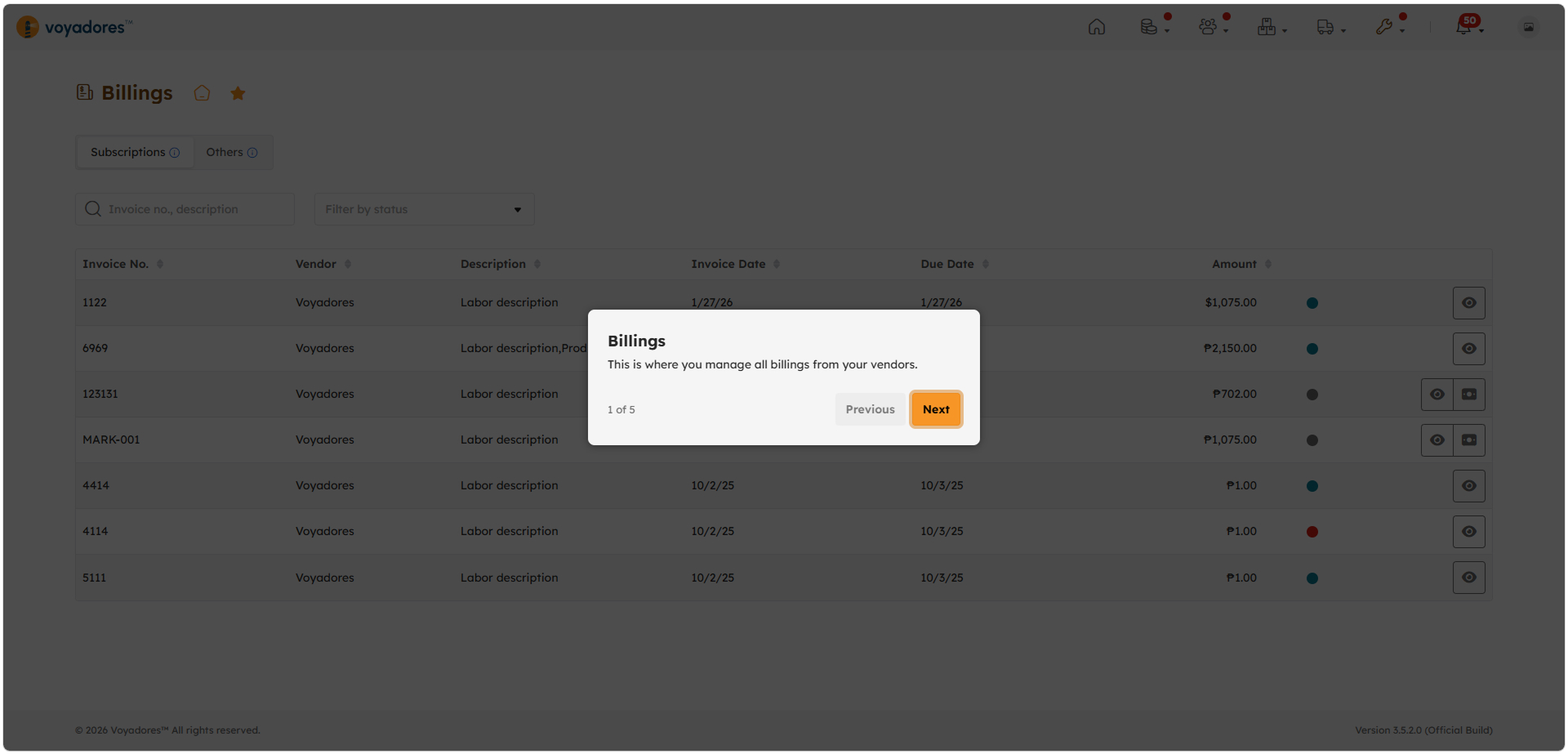
Billings: This is where you manage all billings from your vendors.
-
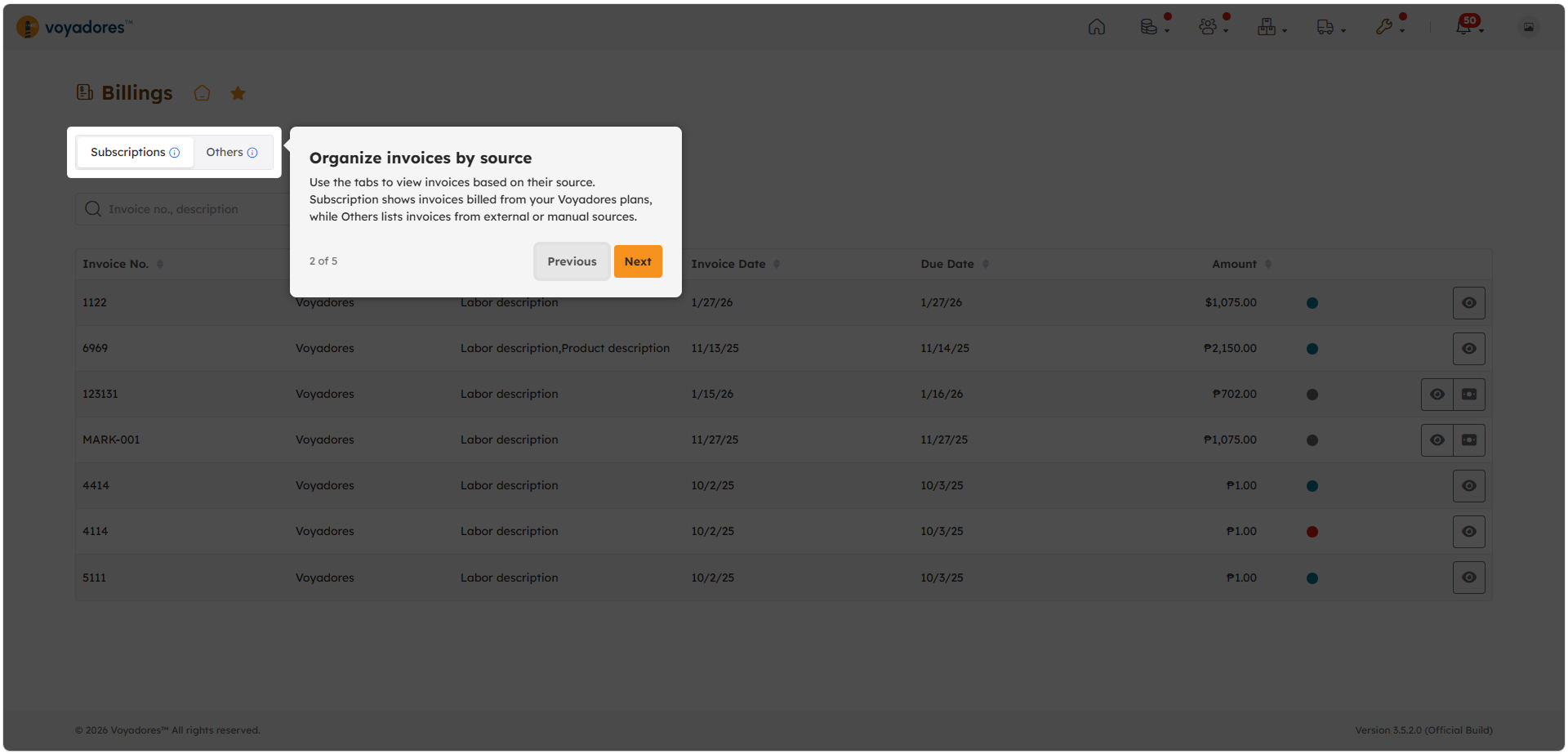
Organize invoices by source: Use the tabs to view invoices based on their source. Subscription shows invoices billed from your Voyadores plans, while Others lists invoices from external or manual sources.
-
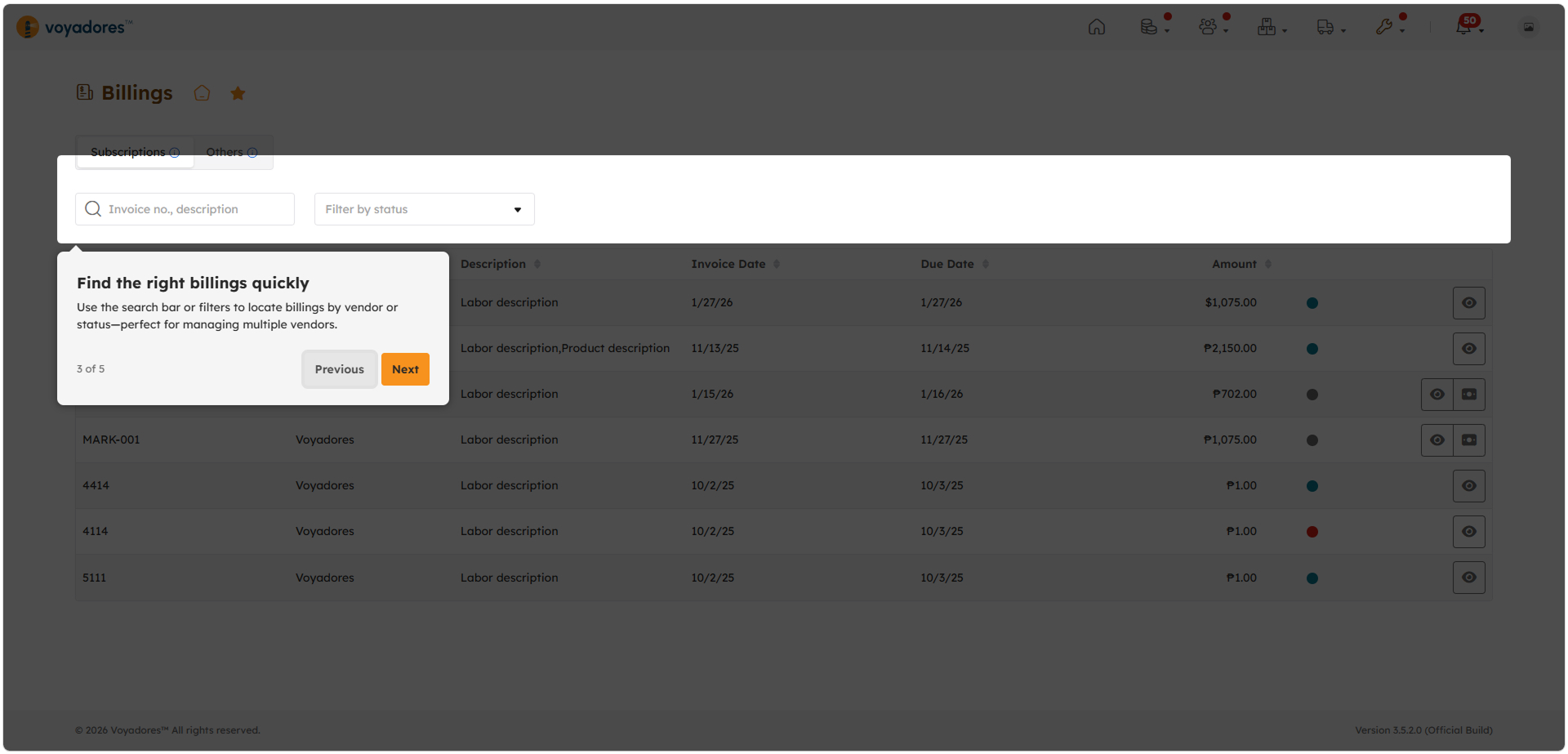
Find the right billings quickly: Use the search bar or filters to locate billings by vendor or status-perfect for managing multiple vendors.
-
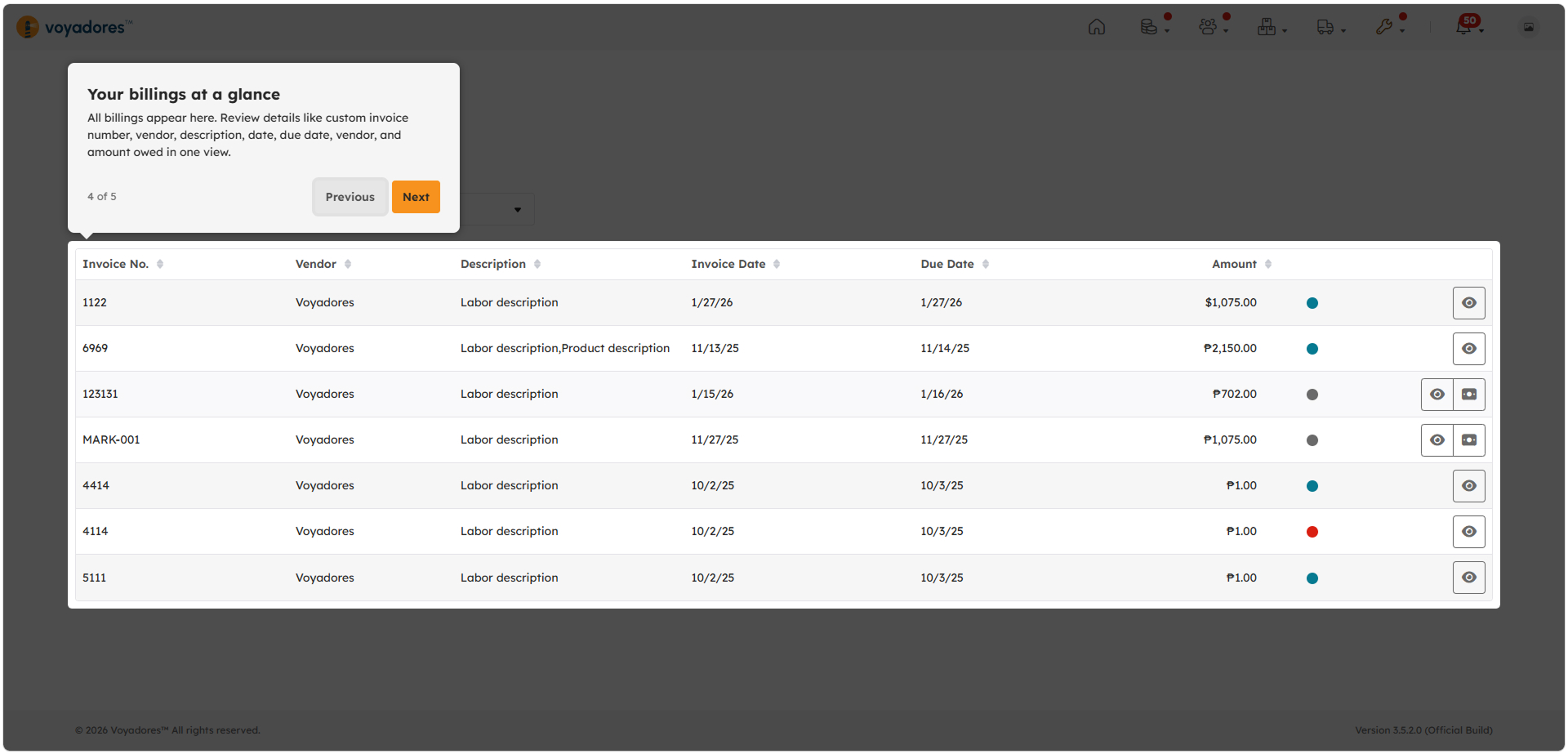
Your billings at a glance: All billings appear here. Review details like custom invoice number, vendor, description, date, due date, vendor, and amount owed in one view.
Part 3: Payment
Customers are required to settle all outstanding invoices on or before the indicated due date.
Payment Reminders
- Payment reminders may be sent periodically for unpaid invoices.
- Failure to settle payments within the agreed period may affect account accessibility.
Proof of Payment
- Customers may be requested to submit proof of payment for verification and processing purposes.
Part 4: Account Suspension
Accounts with overdue or unpaid invoices may be subject to temporary suspension.
Suspension Conditions
- Account suspension may occur if payment remains unsettled beyond thirty (30) days from the invoice due date.
-
During the suspension period:
- Users are restricted from accessing the Voyadores Application.
- Modules and features may become unavailable.
Reactivation
- Suspended accounts may be reactivated once all outstanding balances are fully settled within fifteen (15) days from the start of the suspension period.
- Account reactivation is subject to payment verification and confirmation by the Voyadores Billing Team.
Part 5: Account Deactivation
Accounts that remain unpaid after the fifteen (15)-day suspension period may be permanently deactivated.
Deactivation Conditions
- Continuous non-payment despite billing reminders and suspension notices may result in permanent account deactivation.
-
Deactivated accounts may lose access to:
- System data
- User access
- Voyadores Application services
Account Recovery
- Recovery or restoration of permanently deactivated accounts will no longer be possible.
- Customers who wish to continue using Voyadores after deactivation will be required to undergo a new account onboarding process.
Reminder
- Ensure that billing contact details and email addresses are always updated.
- Settle invoices on time to avoid interruptions in service.
- For billing concerns or payment verification, please contact the Voyadores Billing: [email protected].